A private RTMP server for your camera app
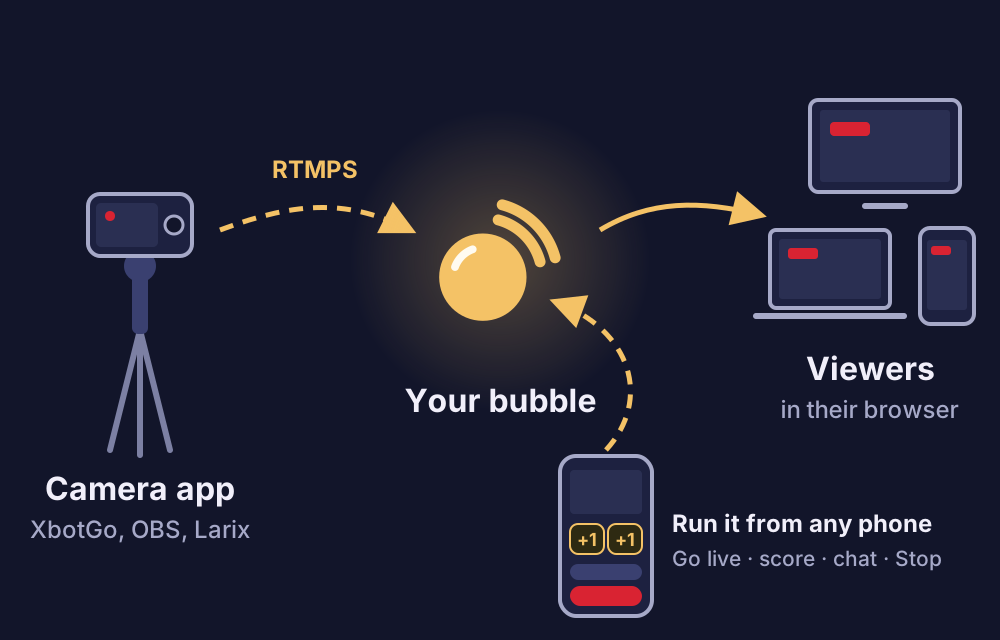
A bubble usually shows your phone's camera. It can also show the video from a camera app: an AI camera like the XbotGo Chameleon that follows the play, OBS Studio on a computer, or Larix Broadcaster on a second phone. Your viewers watch in their browser as always, and you run the broadcast from your phone.
- RTMP and RTMPS
- Your own stream key
- Viewers need no app
Camera
Server (RTMPS, encrypted)
rtmps://ingest.beambubble.com:1936/live
Stream key
••••••••••••••••••••
Receiving · H264 + MPEG-4 Audio · 4,200 kbit/s
Two lines to paste, then go live
-
Choose Camera app in your bubble
On the bubble's page, under Advanced (members: on your camera page), the Camera card has the server address and your own stream key for that bubble.
-
Paste them into the camera app
Every app that streams RTMP has a place for a server (or URL) and a stream key. Use the encrypted RTMPS address if the app can.
-
Go live and run it from your phone
Tap Go live and start streaming in the app, in either order. Then keep score, read chat, see who's watching and Stop, while the camera films.
Pick your camera
XbotGo
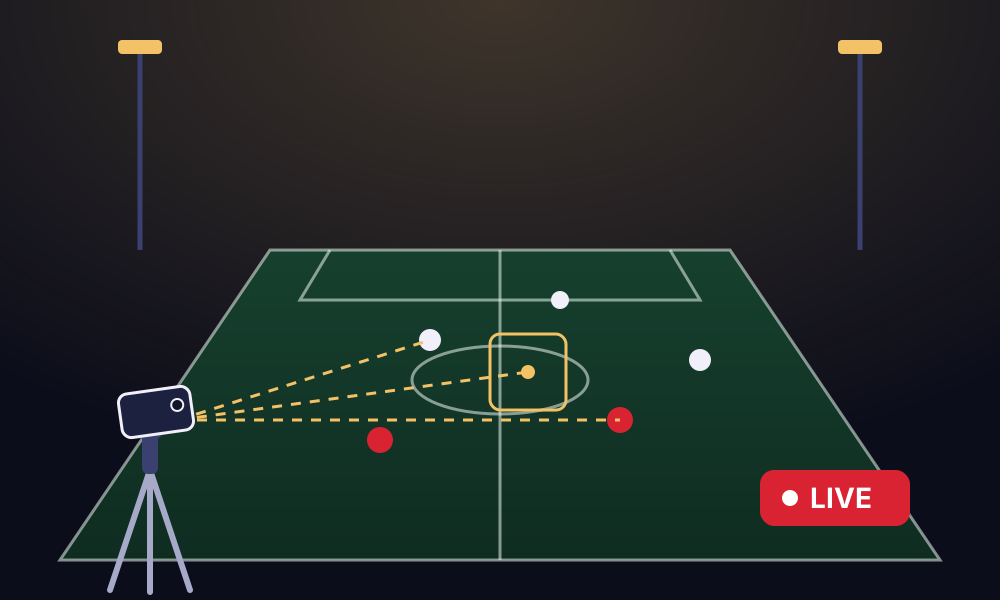
An AI gimbal that turns your phone to follow the ball. Set it up once and watch the match.
XbotGo guide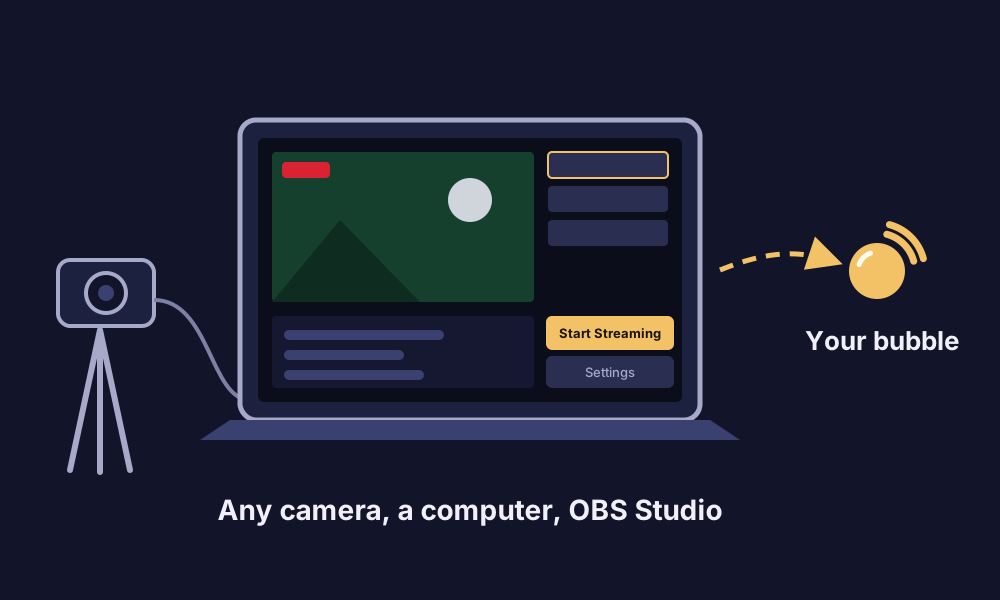
OBS Studio
Free software for Windows, Mac and Linux. Any camera on a computer, with scenes and graphics.
OBS guide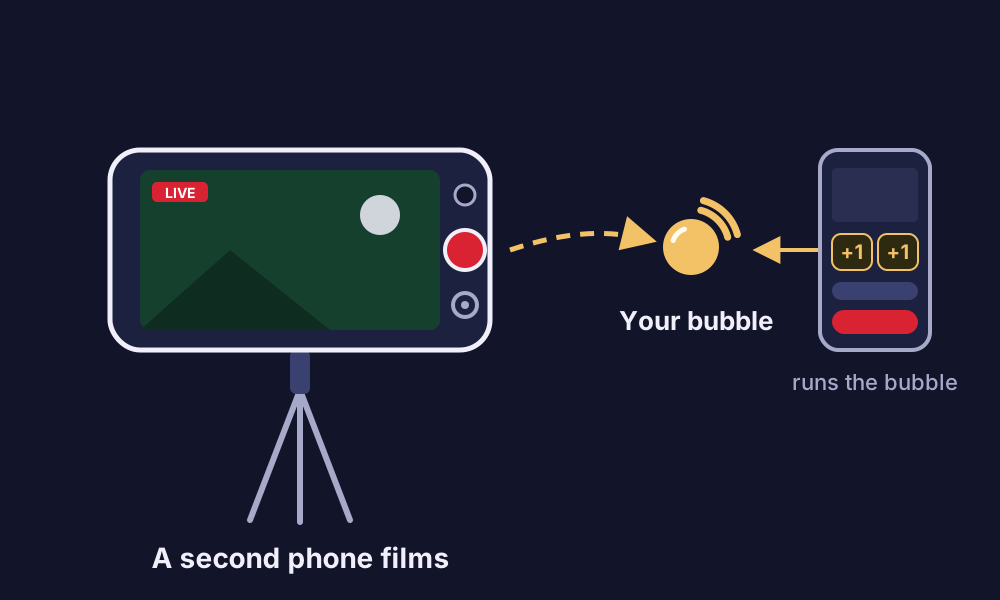
Larix Broadcaster
A streaming app for iPhone and Android. A second phone films while yours runs the broadcast.
Larix guideAnother app? If it streams to a custom RTMP or RTMPS server, it works the same way: the server address and the stream key from your bubble are all it needs.
Settings that work best
BeamBubble takes the video into the bubble as it is when it can, which keeps the picture sharp and saves the server work. Otherwise the server re-encodes it to 720p. That works too, and the bubble's page tells you why, but the server re-encodes one stream at a time: if another bubble's video is being re-encoded, yours waits until it's free. Video over 8 Mbit/s is re-encoded too, so every viewer can keep up.
The video goes in as it is with these settings:
| Setting | Use |
|---|---|
| Video | H.264, Baseline profile (no B-frames) |
| Keyframes | Every 1 second (at most every 2) |
| Size | 1920×1080 or 1280×720 |
| Frame rate | 30 frames a second or less |
| Bitrate | 4–6 Mbit/s (at most 8) |
| Sound | AAC, any common setting |
Everything a bubble does, with a better camera
XbotGo, OBS Studio and Larix Broadcaster belong to their makers. We name them only to say what works with BeamBubble; BeamBubble isn't part of them.
- The score in the picture. A scoreboard overlay is drawn over the camera app's video, and you change the score from your phone.
- A private audience. Members you invite, or a secret link (with a PIN if you like). How bubbles stay private.
- Recordings. The camera app's video is recorded like any live, with the score burnt in. About recordings.
- One of several cameras. In a bubble for people you invite, each member's camera can be a phone or a camera app, up to three cameras in one live. Multi-camera.
- On the TV. Viewers send it to the big screen with AirPlay, Chromecast or mirroring. Watch on TV.
Camera app questions
What is a private RTMP server?
A place a camera app can stream to that isn't a public platform. In BeamBubble, everyone streams to the same server address with their own stream key for the bubble, and only the bubble's viewers see the video.
Do my viewers need an app?
No. They watch in their browser on a phone, tablet or computer, and can send it to a TV.
Is the stream encrypted?
Yes, when the camera app uses the RTMPS address (rtmps://…:1936/live). Apps that can't do RTMPS can use plain RTMP. Keep the stream key to yourself: anyone with it can stream into your bubble, and you can make a new one at any time.
What if the signal drops?
Viewers see "Reconnecting" for up to 90 seconds. If the camera app is back by then, the broadcast just goes on.
How long can a broadcast be?
Up to 3 hours, the same as from your phone, with a warning 10 minutes before the end. You can go live again straight away on the same link.
Does the score show on the video?
Yes. The bubble's overlay, such as a scoreboard, is drawn over the camera app's video for every viewer, and you change the score from your phone.
Your people are waiting for the link.
Make a bubble in a minute, send the link, and go live from the phone in your pocket. Viewers watch in their browser, no app needed.