Live streaming a basketball game, step by step
Indoor courts take the weather out of the equation, but they bring their own problems: weak mobile signal, bright windows and people walking in front of the camera. Here's how to handle each.
1. Check the rules before tip-off
Some schools and leagues limit filming at games, and for youth teams you need the parents on board. Ask the coach, get parents' consent and check the league's policy. For a US high school game, talk to the athletic department first: some schools already stream varsity games themselves or have their own arrangements. For club, middle school and younger teams, a members-only bubble keeps the stream to the team's families, and you see everyone watching by name.
2. Find your spot and frame the court
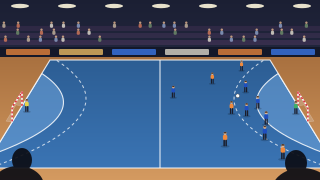
Sit at half court in the top row, put the phone on a short tripod or clamp it to the railing, and turn it sideways. Zoom until both baskets just fit: a little space at each end means fast breaks never leave the frame. If the gym has windows behind one basket, film from the side that puts them behind you, or the players turn into silhouettes. Keep the gangway clear, and make sure nobody needs to step over the tripod.
If the gym's own scoreboard with the game clock is on the wall behind the court, try to get it in the shot. Viewers can then follow the clock and fouls while your overlay shows the score.
3. Signal inside the gym
Concrete and steel block mobile signal, so a phone with full bars in the car park can struggle in the stands. Ask whether the school or club has guest Wi-Fi you can use, and do a two-minute test live from your seat before the game. For mobile data indoors, 720p is the safe choice: it needs about 4 Mbit/s of upload against 8 for 1080p, and it stays smooth. If it still stutters, 480p needs about 2 Mbit/s. You pick the quality in the bubble's advanced settings.
4. Keeping the score
Choose Scoreboard in the bubble's overlay, type the team names and pick their colours. The scoreboard counts in ones, so a two-point basket is two taps on +, a three is three taps, and a free throw is one. Each time the score goes up, a short banner shows it (it says GOAL, whatever the sport); Undo takes back a slip without one. It doesn't show the game clock, quarters or fouls yet.
Basketball means a lot of tapping. With a second phone filming, either camera can update the shared score, so the person at the corner can keep score while you follow the play. How the scoreboard works.
5. Add a second or third angle
In a bubble for people you invite, up to three members can film the same live, one phone each (in a bubble for anyone with the link, only you film). Put the second high in a corner or behind the baseline. Viewers switch between angles themselves, by tapping a tile under the player or swiping. The main camera is what viewers see first and what TVs show. Anyone filming can make their own camera main, and you and your admins can pick any, say for the last two minutes from under the basket. Each camera's video is kept too, and the video page can switch camera at the same moment. Multi-camera, explained.
6. Quarters, timeouts and tournaments
A live runs for up to three hours, which covers four quarters, timeouts and half-time with time to spare. Leave it running through timeouts. If you stop at half-time and go live again within five minutes, it stays one video. At a weekend tournament, go live for each game on the same link; members are told when a live starts (not again if it starts within 30 minutes of the last one ending). You get a warning ten minutes before the three-hour mark.
7. Sound in a gym
Squeaking shoes, the buzzer and the crowd are the atmosphere, and the phone's own microphone picks them up well. Remember that it also picks up whoever sits next to it. Viewers hear every comment made beside the phone, so keep the commentary kind.
What to bring
- A phone from the last few years, fully charged.
- A short tripod or a railing clamp that fits on a bleacher seat.
- A power bank and cable for anything over an hour.
- The Wi-Fi details, if the school or club shares them, or enough mobile data: about 1.5 GB an hour at 720p.
- A second phone for the corner or baseline (optional; a member films with it, in a bubble for people you invite).