How to live stream a church service from one phone
A small church doesn't need a media team to stream a service. A phone, a tripod, a cable from the sound desk and one volunteer will do, and the setup stays the same every week.
Where to put the phone
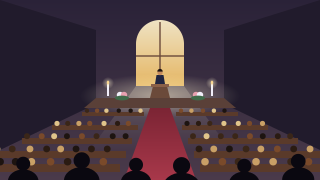
The back of the church on the centre aisle, or a balcony, gives the best view: the lectern, the pulpit and the altar in one wide shot, so nobody has to follow each speaker. Put the phone on a tripod at standing height, turn it sideways and leave it. In a church you can usually plug into the wall: a long charging cable to the tripod is more reliable than a battery. Once you're live, keep BeamBubble open on the screen, as locking the phone or switching apps pauses the stream.
Sound: the biggest upgrade
Members at home want to hear the sermon and the readings clearly. A phone at the back hears the building more than the speaker. If your church has a sound system, take a feed from the mixer into the phone with an adapter cable or a small audio interface; it's the clearest result by far. Without one, a small wireless microphone on the lectern works well. Test the level during a hymn as well as the sermon, since the organ and singing are much louder.
Equipment to live stream a church service
- A phone from the last few years. The church can keep one for the purpose.
- A sturdy tripod that stays put on a stone or wooden floor.
- A long charging cable to a wall socket, or a power bank.
- A sound-desk feed (adapter cable or small audio interface), or a wireless lectern microphone.
- Wi-Fi or mobile data with about 4 Mbit/s of upload for 720p, or 8 for 1080p.
Members at home and in care homes
Members you invite by email sign in once with a code from their inbox; there's no password to forget. Each week they're told when the service goes live, by notification or email as they prefer, and they tap to watch in their browser. On an iPhone or iPad they can add the bubble to the Home Screen, so it opens like an app with one tap.
The TV button sends the service to an Apple TV or AirPlay TV (from Safari), or to a Chromecast or Google TV (from Chrome), so care home staff can put it on the lounge TV for several residents at once. The TV plays it by itself, and the phone or tablet stays free. Watching on a TV.
The congregation's privacy
Point the camera at the front, not at the pews, and say at the start of the service, or in the notices, that it's being streamed. Keep a few seats out of shot for anyone who'd rather not appear. The bubble is never listed or searchable, the person streaming sees everyone watching by name, and anyone can be removed.
Chat can be off, on for everyone, or set so only you see messages. That last option suits prayer requests and greetings from members at home: they reach the person streaming, nobody else sees them, and nothing written in chat is ever stored.
Every week, the same link
The bubble's link never changes, so members save it once. A live runs for up to three hours, which covers any service. Each one is recorded; set "Keep videos" to 7 days so members can catch up during the week, or to 30 or 90 days. The bubble's owner can download a service as an MP4 for the church's archive. A one-hour service at 720p uses about 1.5 GB of data, so church Wi-Fi, if you have it, is worth using.
Music and licences
Hymns and worship songs may be under copyright. BeamBubble doesn't mute streams automatically the way some public platforms do, but that doesn't change the music rules where you are. Check what your church's licences cover for streaming before you include music.