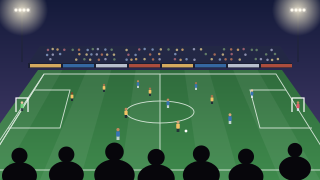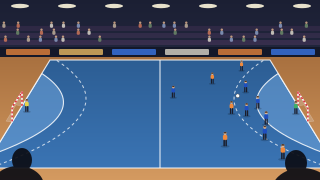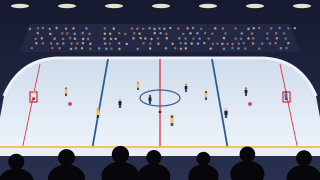
Live streaming a youth hockey game, step by step
Hockey is fast, the puck is small and there's a sheet of glass between you and the ice. None of that needs special equipment, just a few habits that rink parents pick up over a season.
1. Before the game
- Make a bubble for the team, like "U12 Wolves", and invite the families by email, or share a secret link (with a PIN if you like). It keeps the same link all season.
- Check the rules. Ask parents for consent, and check what your club and association say about filming players who are minors. Some rinks have rules of their own.
- Test on your first visit. Do a two-minute test live from where you'll sit, to check the signal and the view through the glass.
2. Filming through the glass
Reflections come from the gap between the lens and the glass: arena lights, the stands and your own jacket all bounce into it. Close the gap. Press the phone flat against the glass, or use a soft rubber lens hood that seals against it, and the reflections disappear. Keep the phone square to the glass, not at an angle, which adds glare and blurs the picture.
Pick a clean panel without puck marks, and wipe a patch with a cloth before warm-up. Dark clothing helps too: a white jacket shows up in the glass, a dark one doesn't. A small clamp or suction mount holds the phone in place for a whole period, and frees your hands for the score.
3. Or film from above the glass
If the rink has raised seating, the top rows at centre ice look over the glass completely. That's the best view in hockey: no reflections, both nets in frame and the shape of the play easy to read. Turn the phone sideways, zoom out until you can see from blue line to blue line with space either side, and follow the puck with gentle pans on a tripod.
Filming from behind a goal means shooting through the protective netting. Stand back and the mesh is sharp and the game is blurred; put the lens right against the netting and it does the opposite.
4. Keep the phone and battery warm
Batteries lose capacity in the cold, so a phone that streams for two hours at home can give up halfway through a game in a cold rink. Keep it in an inside pocket until warm-up is over. Keep the power bank in your pocket too, with a longer cable up to the phone, so the bank stays warm while it charges. Touchscreen gloves let you tap the score without freezing your fingers.
After the game, let the phone warm up slowly in a bag or pocket before you use it in a warm car or lobby. A cold phone in warm air collects condensation. And while you're live, keep BeamBubble open on the screen: locking the phone or switching apps pauses the stream.
5. The score and the goal banner
Goals are rare in hockey, which makes the goal banner worth having. Choose the sideways Scoreboard in the bubble's overlay, type the team names and pick colours close to the jerseys. Tap + when the puck goes in, and everyone sees the new score and a banner. If the goal is waved off, Undo takes it back quietly, without a banner. Periods and the game clock aren't shown yet, so if the rink's scoreboard is visible behind the ice, keep it in the shot. The live scoreboard.
In a bubble for people you invite, a member's phone behind one net or in a corner can join the same live as another camera; viewers switch angles themselves, and that member, you or an admin can make it the main camera for a shootout. Multi-camera.
6. Intermissions and ice resurfacing
You have two choices at an intermission. Keep the live running, and viewers stay with the rink while the ice is cleaned; or stop, and go live again before the next period on the same link. Back within five minutes and it stays one video; after a longer break, the next period becomes its own video in the bubble. A live runs for up to three hours, so a whole game with intermissions usually fits in one. You get a warning ten minutes before the end.
7. Signal and data in the arena
Metal roofs and concrete stands are hard on mobile signal, and lobby Wi-Fi often doesn't reach the stands. Test before the game, and on mobile data choose 720p in the bubble's advanced settings: it needs about 4 Mbit/s of upload and uses about 1.5 GB an hour. 1080p needs about 8 Mbit/s and uses about 3 GB an hour; 480p gets by on 2 Mbit/s. Data for a whole season.
What to bring
- A phone from the last few years, kept warm until warm-up.
- A rubber lens hood and a soft cloth for the glass.
- A clamp, suction mount or small tripod for the glass or rail.
- A power bank with a cable long enough to reach your pocket.
- Touchscreen gloves and a warm jacket, ideally a dark one.
- A second phone for behind the net (optional; a member films with it, in a bubble for people you invite).