How to share family moments live
The best family moments don't come with an invitation. A private bubble that's always there, with the whole family already in it, means you can share them as they happen.
One bubble for everything
A new link for every event means new messages, new passwords and someone who never got it. A family bubble skips all that. Members are told whenever someone goes live, once per live, by notification or email, whichever each person picks. They tap and watch, a few seconds behind live. A bubble can have up to 200 members, members see each other's names, and only the owner and admins see email addresses.
Help the grandparents get set up once
Spend ten minutes with them on their phone, tablet or computer, and they'll manage on their own after that.
- Sign in together. They open the invitation, type their email and the 6-digit code that arrives. There's no password to remember.
- Pick email for notifications if push notifications feel like too much. An email arrives when someone goes live.
- Add it to the Home Screen on an iPhone or iPad. The bubble then opens like an app, with one tap.
- Try the TV button. It sends the stream to an Apple TV or AirPlay TV from Safari, or to a Chromecast or Google TV from Chrome. On other TVs, screen mirroring plus TV mode fills the screen. Watching on a TV.
Birthdays
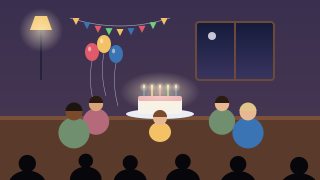
Film facing the cake with the window behind you, not behind the cake. Candlelight alone looks dark on a stream, so keep a lamp on when the lights go down for the song. If the grandparents watch on a TV, turn the phone sideways to fill their screen; for phone viewers, upright is fine. Put the phone on a stand at the end of the table, and you can be in the picture too.
Baptisms and christenings
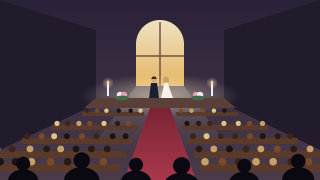
Ask the priest or minister first, and put the phone on a tripod near the font, where the moment happens; it's short and close. Silence the phone and set chat so only you see messages, or turn it off, for a quiet ceremony. Our guide to streaming in church has more on sound and placement.
First steps and everyday moments
The first steps won't wait for you to set up a tripod. Open the bubble, tap Go live, and the family is told straight away. Afterwards the video stays in the bubble, so the grandparents who were asleep in another time zone can watch it with their morning coffee. Videos are kept for 7, 30 or 90 days, as you choose, and you can download each one as an MP4 to keep.
Baby showers, quinceañeras and family parties
Bigger gatherings move around, so add cameras: up to three members can film the same live, one phone each, from the table, the dance floor and the presents. Viewers switch between them themselves. Turn chat on for everyone and the family far away can join in the fun, 140 characters at a time. How multi-camera works.
The same bubble works for the grandchildren's matches and concerts too: see our guides to streaming youth sports and school events.
Video call or live stream?
A video call is the better choice for a conversation: everyone sees everyone, and it works best with a handful of people. A live stream is better when you're filming something happening. The camera points at the event rather than at you, nobody has to join a call or turn on their own camera, it plays on the TV, and it's recorded for whoever missed it. Up to 25 people can watch one live at the same time.
Privacy for your family
A bubble is never listed or searchable. Only the people you invite, or who have your link (and PIN), can watch, and you see who's watching by name. There are no ads and no third-party trackers, the servers are in the EU, and chat is never stored. You can delete your account at once from the menu. Privacy and security.