How to live stream youth sports well
Whatever the sport, a good youth stream needs the same four things: the families' permission, a steady phone in the right spot, enough signal, and an easy way for everyone to watch.
Ask first: consent and club rules
You're filming children, so start with their parents. Tell them who films, who can watch and how long videos are kept, and ask for their consent. Check your club's or league's rules too: some governing bodies require parents' consent before games with children are streamed. This isn't legal advice; when in doubt, ask your club. A members-only bubble helps: only the families you invite can watch, you see every viewer by name and can remove anyone, and only you and your admins see email addresses.
Where to put the phone
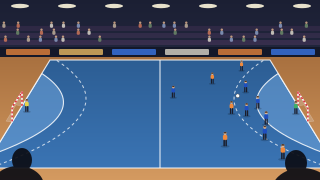
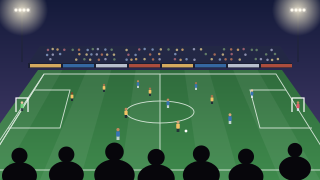
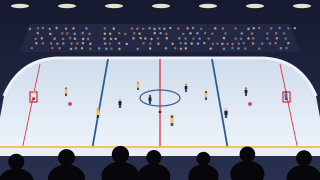
High, central and steady. Film from halfway along the side, as high as you can get, on a tripod or fence mount, with the phone sideways so the picture fills a TV. Zoom out more than feels natural, and keep the sun and bright windows behind you. Each sport adds its own twist: the wide pitch in soccer, end-to-end play in basketball, the high ball in volleyball and the glass in ice hockey. Once you're live, keep BeamBubble open on the screen: locking the phone or switching apps pauses the stream.
Data and battery for a game
At 1080p the filming phone uploads up to about 3 GB an hour, at 720p about 1.5 GB. Where the signal is patchy, 720p is the sensible choice: sharp on a TV, lighter on your plan, smoother when the connection dips. Plan on about 8 Mbit/s of upload for 1080p and 4 Mbit/s for 720p, and bring a power bank. How much data live streaming uses.
How parents and grandparents watch
Members are told when someone in the bubble goes live, by notification or email, as each prefers. They tap it and watch in their browser, a few seconds behind live. In a link bubble, viewers open the secret link, type a nickname (and the PIN, if you set one), and they're in. The TV button sends the game to an Apple TV, an AirPlay TV or a Chromecast, so grandparents can watch on the TV. Up to 25 people can watch one live at the same time, and a bubble holds up to 200 members; members who can't get in live can watch the video afterwards (people watching with a link see the live only).
Score, extra angles and AI cameras
The built-in scoreboard puts team names and the score in the picture, updated from the phone you film with. In a bubble for people you invite, up to two more members can join with their phones as extra cameras, and viewers switch angles themselves. An XbotGo Chameleon, the AI camera that follows the play, can stream straight into your bubble. Lives are recorded unless you turn it off, with the score burnt in, for members to watch again for 7, 30 or 90 days.
Choosing a tool
The right tool depends on your team. GameChanger pairs streaming with detailed scorekeeping and stats, and on the web its viewers sign in with a GameChanger account, unless the team shares a stream set to Anyone (GameChanger help, checked 17 November 2026). YouTube Live is free and reaches anyone. BeamBubble is for a private stream with no ads, where link viewers need no account. See BeamBubble and GameChanger and BeamBubble and YouTube Live side by side.