Live streaming volleyball, step by step
Volleyball is filmed differently from most court sports. The ball goes high, both teams are split by a net, and the best view is from one end rather than the side. Get those right and a single phone gives family a stream that's easy to follow.
1. Before the tournament
- Make a bubble for the team and invite the families, or use a secret link (with a PIN if you like). The link stays the same all season.
- Ask first. Get parents' consent, and check your club's rules and the tournament's. Some organisers have their own filming rules or their own streams.
- Find out where you may stand. The free zone behind the end line belongs to the server. Ask the organiser or the first referee where a camera can go.
2. The best camera spot: high, behind the end line
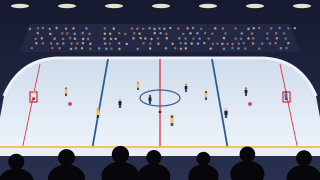
The classic volleyball view is from behind one end line, raised well above head height, looking down the court over the net. From there you see both teams, every serve and the whole rally without panning. Use a tall tripod or the top of the stands if they're at the end, and stay clear of the server.
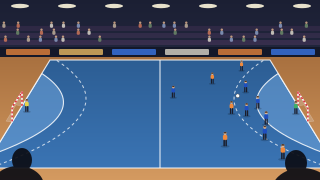
If the only seats run along the side, sit high and level with the net, and zoom out to the whole court. Either way, leave space above the players: serves and sets go high, and a tight frame loses the ball. Volleyball needs more headroom than the other sports in these guides. Film sideways, and keep BeamBubble open on the screen while you're live, since locking the phone pauses the stream.
3. Showing the score
Choose Scoreboard in your bubble's overlay and type the team names. It holds one number per team, so the simplest way to use it for volleyball is to count sets: tap + when a team wins a set, and viewers see the new score with a banner. Undo fixes a slip without one. You can count points instead, but the built-in scoreboard doesn't keep sets and points side by side yet.
Some competitions publish live results online as the scorer enters them. Live-data overlays can read a few of these results services: one so far, Profixio, with an overlay made for handball, so don't count on your volleyball competition's feed working. Where one does, there's no tapping and the score viewers see matches the official one. You pick an overlay in the bubble on your phone; new overlays are designed in Overlay Studio on a computer. More about score overlays.
4. Long days, tournaments and five-set matches
A live runs for up to three hours, with a warning ten minutes before the end, and you can go live again at once on the same link. That covers a long five-set match. On tournament days, go live for each match: members are told when a live starts (not again if it starts within 30 minutes of the last one ending), which helps when the schedule slips and the next match starts an hour late. Between sets, keep the live running. If you stop and come back within five minutes, it stays one video.
5. A second angle at the net
A second phone high on the side, level with the net, catches blocks and attacks that the end view flattens. In a bubble for people you invite, up to three members can film one live, one phone each, and viewers switch between them themselves (in a bubble for anyone with the link, only you film). The main camera is what viewers see first and what TVs show; anyone filming can make their own camera main, and you and your admins can pick any. Each camera's video is kept, so the team can study both angles afterwards. How multi-camera works.
6. Light and sound in the hall
Windows behind the far end turn players into silhouettes; film with the windows behind you where you can. Tilt the phone slightly down so the hall's ceiling lights stay out of the frame. The whistle, the calls on court and the crowd usually come through well on the phone's own microphone, so extra sound kit is rarely needed.
7. Data and power for a tournament day
At 720p the filming phone uploads about 1.5 GB an hour, so four one-hour matches use about 6 GB. At 1080p it's about 3 GB an hour, and at 480p about 0.7 GB. If the hall has Wi-Fi you can use, use it. Bring a big power bank, or two, and charge between matches. Work out your data.
- A phone from the last few years.
- A tall tripod for the end-line view.
- Power banks and cables for a full day.
- A data plan or Wi-Fi with about 4 Mbit/s of upload for 720p.
- A second phone for the net view (optional; a member films with it, in a bubble for people you invite).