Live streaming a youth soccer match, step by step
Soccer (football, if you're reading this in the UK) is one of the harder sports to film: a big pitch, the ball switching wings in seconds, and weather that won't cooperate. A little planning makes the difference between a stream family enjoy and one they give up on.
1. Before match day
- Make a team bubble. Sign in with your email, make a bubble called something like "U11 Rovers" and choose who can watch: families you invite by email, or anyone with the secret link (and a PIN if you like), which suits a one-off like a cup final.
- Agree it with the coach and parents. Ask parents for consent and check your club's and league's rules on filming children. It's also courteous to tell the other team's coach before kick-off.
- Share the link once. It stays the same all season, so families can save it after the first game.
- Test from your spot. Signal can be strong in the car park and weak on the far touchline. A two-minute test live from where you'll film shows you exactly what viewers will see.
2. Where to stand on a soccer pitch
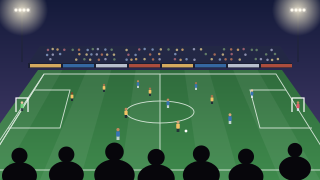
Stand on the halfway line, as high as you can get. Height is what makes a soccer stream watchable: from eye level the players overlap and the space between them disappears, while from a bank, a stand or a tall tripod viewers can follow the shape of the game. Stay a few steps back from the touchline so players don't fill the frame when they come close, and film sideways.
- Small-sided games (5v5 to 9v9): a fixed, wide shot from halfway often covers the whole pitch. Set it and leave it.
- Full-size pitches: a fixed shot makes players tiny. Follow the ball with a tripod that has a smooth pan handle, or let an AI camera do it (more below).
- Mind the sun: a low sun facing the lens washes out the picture. For afternoon and evening games, pick the touchline that puts the sun behind you.
- Avoid the benches: filming from behind the dugouts puts coaches and substitutes in front of the play.
3. Keep the score in the picture
In your bubble, open Overlay and choose Scoreboard, the sideways version. Type the team names and pick colours close to the shirts. When a goal goes in, tap + for that team: everyone watching sees the new score and a goal banner. Tapped the wrong team? Undo fixes it without a banner. The scoreboard doesn't run a match clock yet, so viewers follow the time from the game itself. More about the live scoreboard.
4. Add a second angle behind the goal
In a bubble for people you invite, a parent behind one goal can join the same live with their own phone as a second camera, and a third behind the other goal. (In a bubble for anyone with the link, only you film.) Viewers switch between angles themselves by tapping the tiles under the player or swiping. One camera is the main one: what viewers see first and what TVs show. Anyone filming can make their own camera main, and you and your admins can pick any, which is handy for a penalty shoot-out. Each camera's own video is kept as well. How multi-camera works.
On a full-size pitch, an XbotGo Chameleon follows the play by itself and streams into your bubble, so nobody has to pan for 60 minutes.
5. Wind, rain, heat and battery
- Wind hits the phone's microphone as a roar. Stand with your back to it or behind a barrier, or use a small external microphone with a foam or fur windshield.
- Rain: a clear waterproof phone pouch or a small umbrella clamped to the tripod keeps you going. Keep the power bank dry too.
- Heat: a phone streaming in direct summer sun can get hot and slow down. Find shade, and take off a thick case.
- Battery: start at 100%, plug in a power bank with a short cable, and turn on Do Not Disturb so a call doesn't interrupt. Keep BeamBubble open on the screen: locking the phone or switching apps pauses the stream.
6. Half-time, extra time and tournaments
A live runs for up to three hours, with a warning ten minutes before the end, so a whole match fits easily. At half-time you can leave it running, or stop and go live again: back within five minutes and it stays one video; a longer break gives you two videos in the bubble. On tournament days, go live for each match on the same link. Members are told by notification or email when a live starts (not again if it starts within 30 minutes of the last one ending), so nobody has to keep checking.
7. Data at the ground
An hour at 1080p uploads up to about 3 GB from the filming phone; 720p about 1.5 GB; 480p about 0.7 GB. The upload you need is about 8, 4 and 2 Mbit/s. Unless the ground has Wi-Fi you can use, you'll be on mobile data, where 720p is the sensible default; pick it in the bubble's advanced settings before you go live. If the test live stutters, step down to 480p. Data use explained, with a calculator.
What to bring
- A phone from the last few years, fully charged.
- A tall tripod or a fence clamp, so you can film from above head height.
- A power bank and a short cable.
- A small external microphone with a windshield (optional).
- A waterproof pouch for wet days.
- A second or third phone behind the goals, or an XbotGo camera (optional).