Live stream from your Android phone. Chrome is all you need today.
Open BeamBubble in Chrome and your Android phone is a private broadcast camera: go live in 1080p, keep the score, add more phones and Cast the stream to a TV. The BeamBubble app for Android is on its way to Google Play.
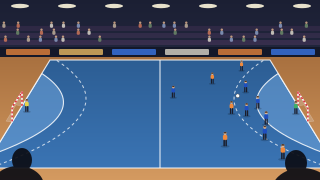
Everything, in Chrome on Android
You don't have to wait for the app. In Chrome, BeamBubble already does the whole job, on the phone you film with and on the phones of everyone watching.
- Go live in 1080p with the back or front camera, or drop to 720p or 480p when the signal is weak.
- Keep the score with the built-in scoreboard, tapped on the same phone.
- Add more phones as cameras: members of your bubble, on Android or iPhone, up to three in one live.
- Cast to a TV from the watch page: Chromecast and Google TV play the stream by themselves.
- Get a heads-up by web push or email when someone in your bubble goes live.
- Keep the video for 7, 30 or 90 days, with the score burnt in.
How to live stream from an Android phone with BeamBubble
You need Chrome, a camera and a connection with about 8 Mbit/s upload for 1080p, or 4 Mbit/s for 720p.
-
Sign in from Chrome
Go to beambubble.com, tap Start free and type your email. A six-digit code arrives in your inbox; there's no password.
-
Make a bubble and share it
Name it after your team or the event. Invite members by email, or send the secret link with a 4-digit PIN.
-
Allow the camera, then Go live
Chrome asks once to use the camera and microphone. Tap Allow, turn the phone sideways and tap Go live.
Tips for streaming from Android
A phone that films for two hours works hard. A little setup keeps the stream steady to the final whistle.
- Keep BeamBubble on screen. If you switch to another app while you're live, the camera can stop.
- Plug in a power bank. Filming and uploading drain a battery fast, and a power bank carries you through extra time.
- Turn on Do Not Disturb, so a call doesn't take over the screen in the middle of a game.
- Use a tripod or a fence clip at chest height or higher, and keep the phone out of direct sun.
- Check your data plan. 1080p uploads about 3 GB an hour. How much data live streaming uses.
Cast the live stream from Chrome to your TV
The people watching can put the game on the big screen in two taps, and keep their phone for messages and photos.
- Chromecast and Google TV: on the watch page, tap the TV button and pick the TV. It plays the stream by itself, a few seconds behind live.
- It turns with the camera: when the filming phone turns sideways, the picture on the TV turns too.
- TV without Cast? Use the phone's screen mirroring and switch on TV mode, which fills the screen and keeps the phone awake.
- On an Apple TV? AirPlay from an iPhone, iPad or Mac. All the ways to watch on TV.
What the Android app adds
The app keeps the same screens as the web, with the same account and bubbles, and adds three things an app does better.
- A native camera for going live.
- Push notifications when someone in your bubble goes live.
- Casting from the app, straight to a Chromecast or Google TV.
Until it's out, everything on this page works in Chrome. We'll announce the app here and on the apps page.
Mia's dad is live in Lions Volleyball
Tap to watch. The first set has just started.
A notification from the Android appAndroid questions
How do I live stream on an Android phone without an app?
Open beambubble.com in Chrome, sign in with your email and the code you get, make a bubble and tap Go live. Viewers watch from the link in any browser, with no app either.
Is the BeamBubble app on Google Play?
Not yet. The Android app is coming soon to Google Play, and we'll announce it on this page. Until then, everything works in Chrome.
How do I cast a live stream from my Android phone to the TV?
Open the stream in Chrome, tap the TV button on the watch page and choose your Chromecast or Google TV. The TV plays it by itself, a few seconds behind live. For other TVs, use screen mirroring with TV mode on.
Which Android phones work for live streaming?
Any Android phone with a recent version of Chrome. Newer phones give a sharper picture and last longer on a battery, which matters for a whole game.
Can an Android phone and an iPhone film the same live?
Yes. Anyone in the bubble who's allowed to go live can join as a camera from Chrome or Safari, up to three cameras in one live. Viewers switch between them. How multi-camera works.
Is there a free live streaming app for Android?
BeamBubble is free to use today, every feature, in Chrome on Android. If paid plans ever come for bigger needs, we'll say so first.
Your people are waiting for the link.
Make a bubble in a minute, send the link, and go live from the phone in your pocket. Viewers watch in their browser, no app needed.